
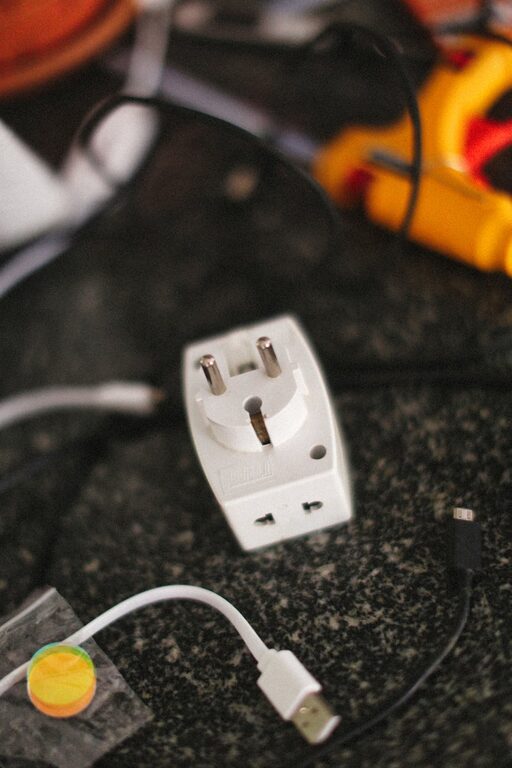
Creating a dedicated charging station for your devices can simplify your daily routine and keep your space neat and tidy. Instead of having chargers and cables scattered around the house, a well-planned charging station can centralize everything, making it easier to maintain and grab your devices when needed. In this post, we’ll guide you through the steps to set up an effective charging station at home, covering everything from location selection to cable management.
Why Set Up a Charging Station?
Before diving into the setup, it’s helpful to understand the benefits:
– Organization: Keeps all your chargers, cables, and devices in one place.
– Convenience: Eliminates the hassle of searching for chargers.
– Safety: Reduces tripping hazards caused by tangled cables.
– Device Care: Ensures devices are charged properly and prolongs battery life by avoiding overcharging.
Step 1: Choose the Right Location
Selecting a suitable location is the foundation of a successful charging station. Consider the following factors:
– Central Access: Pick a spot everyone in the household uses frequently — such as the living room, kitchen counter, or near your home office.
– Power Outlet Availability: Ensure there are enough outlets or power strips nearby to support all your devices.
– Ventilation: Avoid locations that get too warm or are enclosed without airflow to prevent device overheating.
– Surface Space: Choose a flat surface like a small table, shelf, or cabinet top that can hold all devices comfortably.
Step 2: Gather Your Charging Equipment
Once the location is set, collect the necessary gear for your station:
Chargers and Power Sources
– Multi-port USB Chargers: These are useful if you have many devices, allowing you to plug multiple cables into one outlet.
– Charging Pads: If your devices support wireless charging, a charging pad can reduce cable clutter.
– Power Strips or Surge Protectors: Helps protect your devices during power surges and expands the number of available outlets.
Cables
– Use high-quality cables compatible with your devices.
– Consider cable lengths: shorter cables reduce clutter, while longer cables offer flexible placement.
– Label cables if you have many to avoid confusion.
Storage Accessories
– Cable organizers or clips: Keep cables untangled and neatly arranged.
– Small baskets or trays: Useful to hold devices and small accessories.
– Charging docks or stands: Hold devices upright while charging and save space.
Step 3: Organize and Arrange Your Charging Station
Here’s how to create a neat setup:
Step 3.1: Position Chargers and Power Sources
Plug your multi-port charger or power strip into the outlet behind or beneath your chosen surface area. If possible, attach the power strip underneath a desk or table to keep it out of sight.
Step 3.2: Arrange Cables
– Secure cables with clips or Velcro straps.
– Run cables along edges or underneath furniture to minimize visibility.
– Avoid overcrowding any single outlet by distributing devices across multiple power sources, if needed.
Step 3.3: Set Up Device Holders
Place charging docks or stands on the surface to align devices for easy access.
Step 3.4: Add Storage Solutions
Use trays or small containers to place accessories like earbuds, power banks, or adapters.
Step 4: Maintain Your Charging Station
Keeping your station tidy is just as important as setting it up:
– Regularly check cables for wear or damage.
– Unplug chargers when not in use to save energy.
– Dust and clean the area to prevent dirt buildup.
Additional Tips For a Smarter Charging Station
– Use Smart Plugs: These allow you to control power remotely or set schedules.
– Label Outlets: Mark corresponding cables and outlets for easier management.
– Include a Charging Schedule: To avoid overcharging, keep track of charging times.
– Wire-Free Zone: Aim for wireless charging options to further reduce cables.
Conclusion
With a little planning, your device charging station can be a model of efficiency and convenience. From selecting the right location to organizing cables thoughtfully, these steps help you enjoy a clutter-free space and ensure your devices are ready to go when you need them. Whether for your smartphones, tablets, or other electronics, setting up a charging station is a practical upgrade for any home.
Feel free to customize your charging station to fit your lifestyle, and enjoy the streamlined simplicity it brings!